
Tablet configuration#
Since version 4.5.57, Odyssey relies on default Unreal Engine stylus input.
Windows#
There are 2 modes available on Windows that can be managed in Edit ▸ Editor Preferences in the category Stylus input.
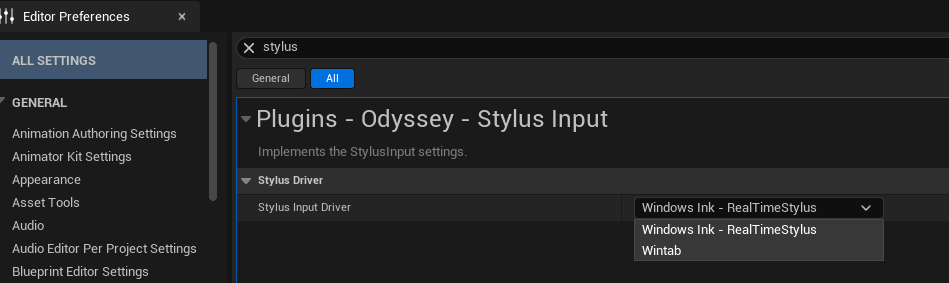
Windows Ink - RealTime Stylus#
By default, Odyssey uses an API (Native) that requires two things on your side:
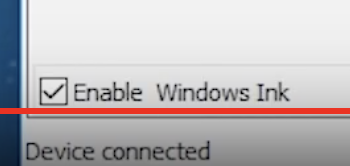
Enable Windows Ink in your tablet drivers:
Note
If you cannot find a way to enable Windows Ink, it usually means that it’s the only mode available.
Tip
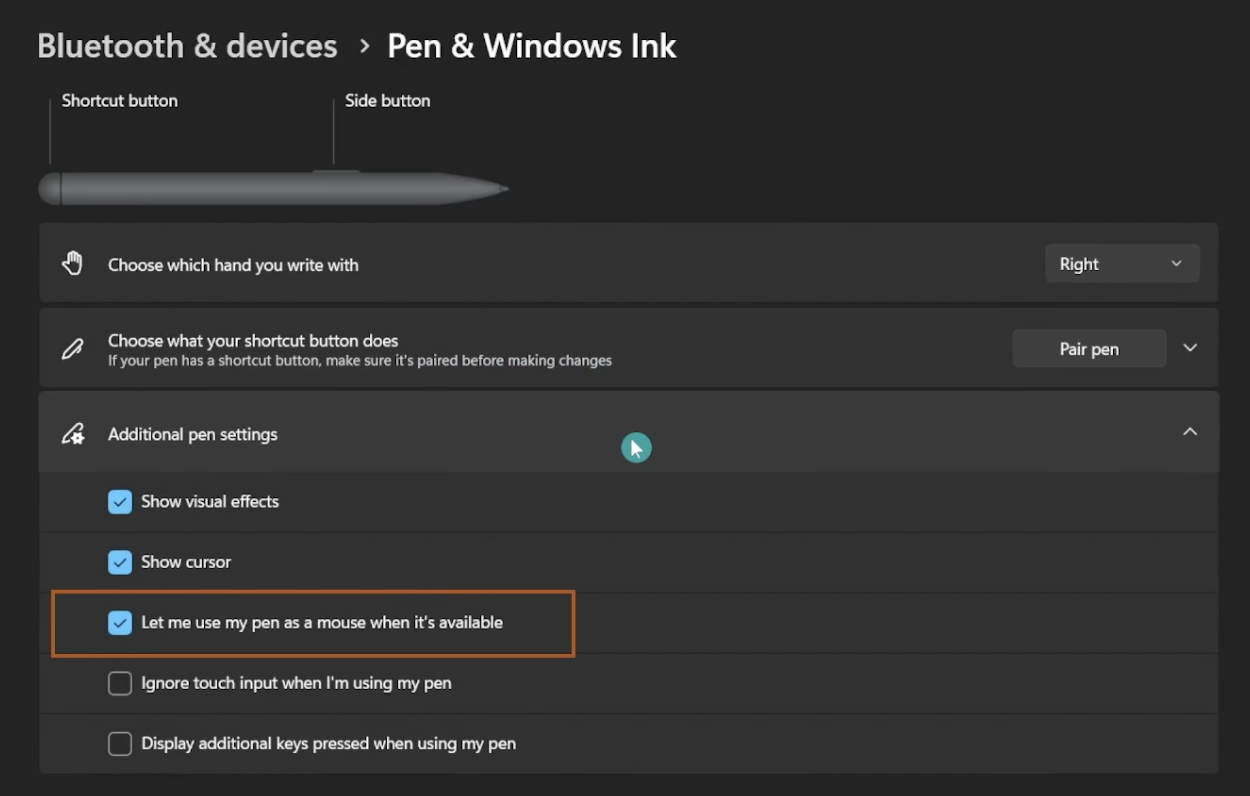
Having troubles with the stylus or its right click? This might come from Windows options! Make sure “Let me use my Stylus as a Mouse” and “Use the pen button as right-click equivalent” options are both enabled here:
Wintab#
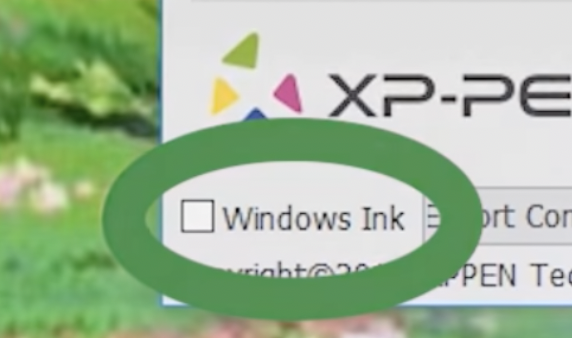
If you prefer to use Wintab API, make sure to disable Windows Ink from your tablet drivers.
Mac#
The only available Stylus input is NSEvent, and it’s enabled by default.
Warning
Unreal Engine on Mac has troubles with multiple monitors. If you use a display tablet (Xencelabs Pen Display or Wacom Cintiq), make sure that you have the following configuration:
Both monitors must have the same definition (Full HD, WQHD, etc)
Monitors must be horizontally aligned (main screen on the right, secondary screen on the left)
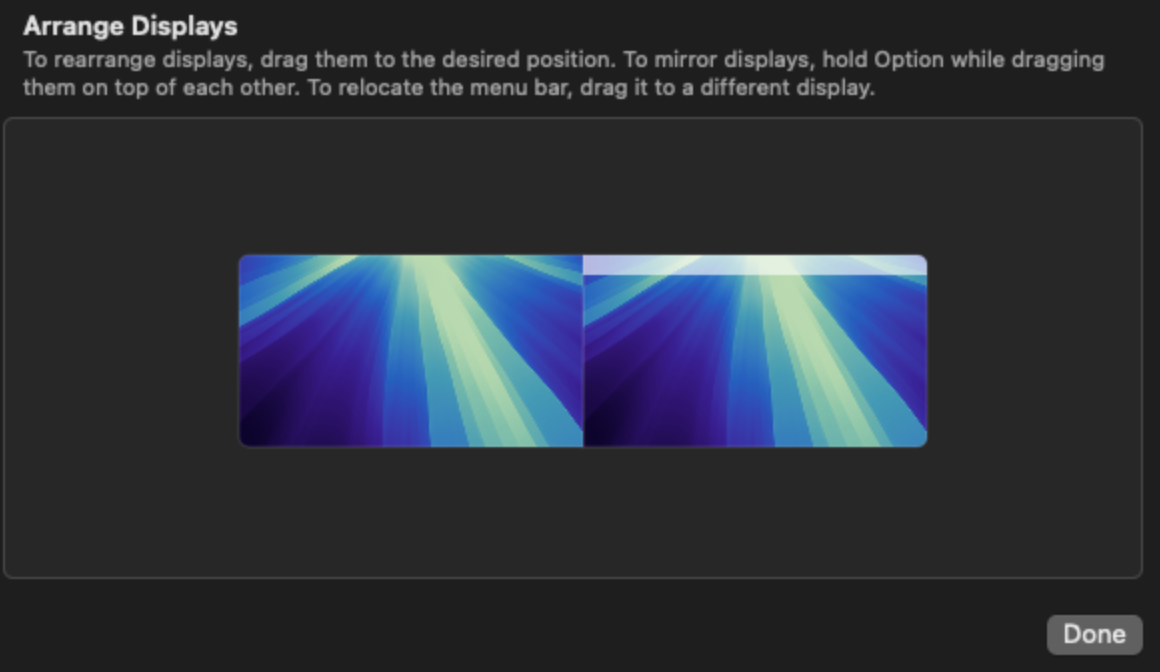
Epic Games have been informed of this issue, we’re still waiting for a solution.
Warning
The new Stylus Input on Mac is unsteady and might crash. If so, please let us know so we can tell Epic.