
Quick Render#
Need to quickly render your Level Sequence? Unreal Engine offers a Quick Render tool available here, in the main tool bar of Unreal Engine:

Note
This option only works with Level Sequences - it won’t work with Shot / Board Sequences!
Click on the tiny dots to display the settings and click on Quick Render Settings:
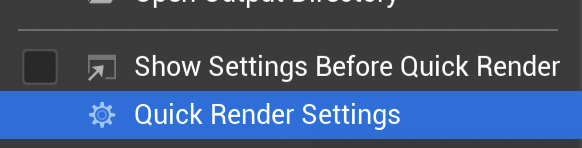
This panel will open:
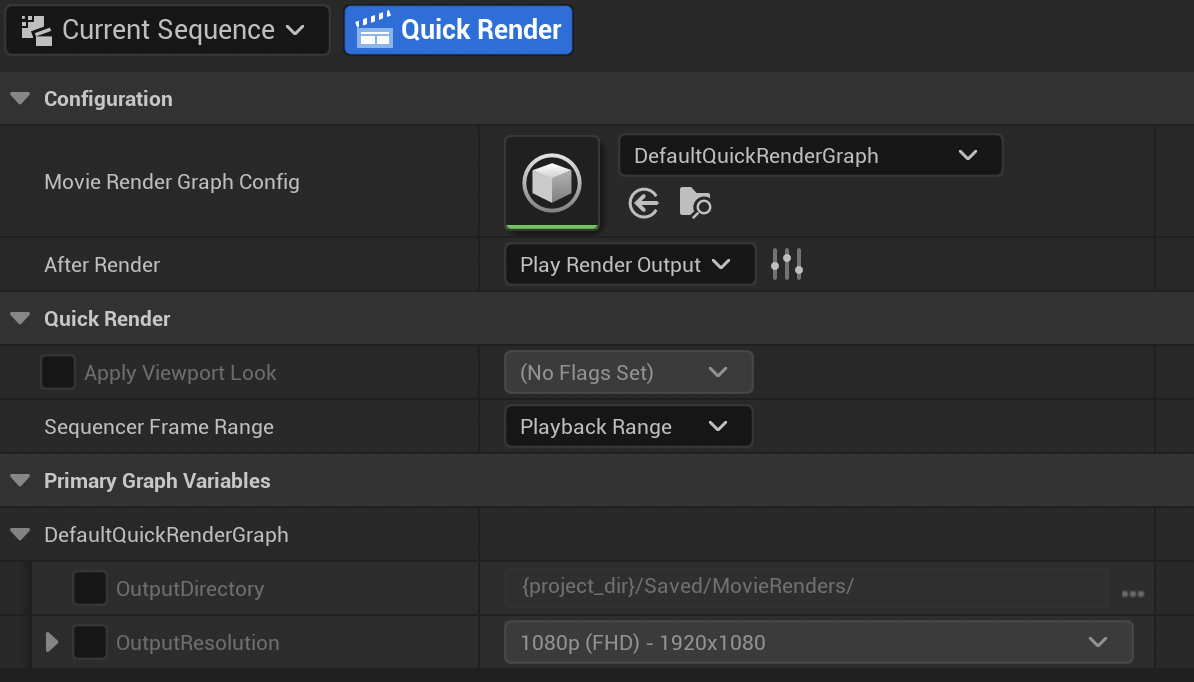
Double click on the Movie Render Graph Config to make it render MOV instead of JPEG:
Save the change and close the Movie Render Graph to get back to the settings panel.
You can then proceed with some other changes, such as:
what should be done after the render is done (open the output directory, play the file or do nothing);
the playback range;
the output directory
the output resolution
The click on the button Quick Render.
Tip
Once you setup your preferences, you can directly click on the Quick Render button from the main top bar.